> ## Documentation Index
> Fetch the complete documentation index at: https://docs.borghq.io/llms.txt
> Use this file to discover all available pages before exploring further.
# GitHub Integration
> Push findings to GitHub Issues
Connect Odin to GitHub to push security findings directly to your repository's issue tracker.
## Connecting
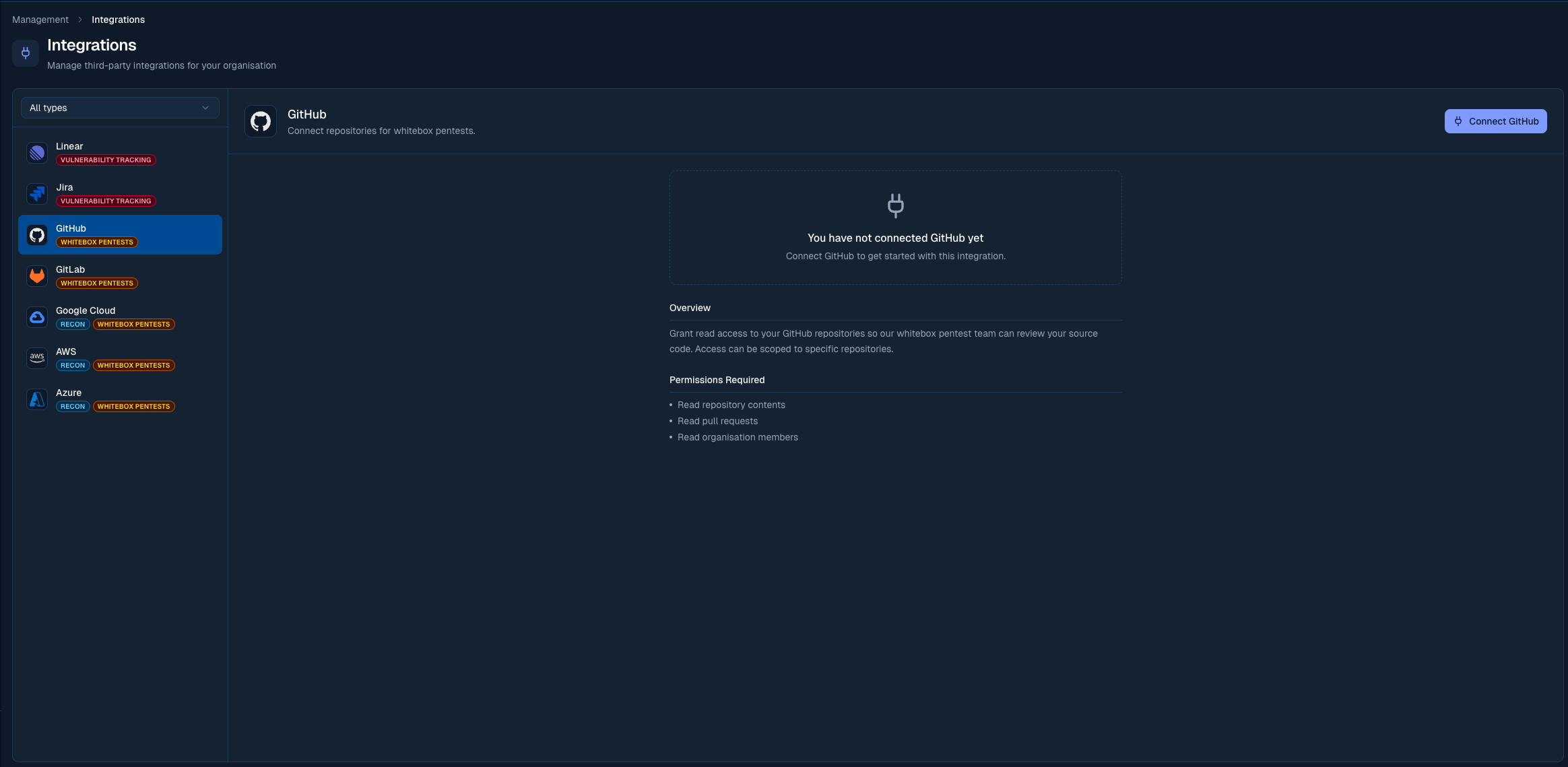
Go to **Management > Integrations** in the sidebar.
Click **Connect** next to GitHub and authorise the Borg Security GitHub App.
Choose the GitHub organisation or account that owns your repositories.
Select the repository where issues should be created.
 ## Pushing a finding
On any finding, click **Push to GitHub**. Odin creates a GitHub issue with:
* Finding title as the issue title
* Severity label (Critical, High, Medium, Low)
* Full description, reproduction steps, and suggested fix in the issue body
You can push multiple findings at once using the bulk action toolbar on the Findings page.
## Auto-linking pull requests to findings
Once the GitHub App is installed, Odin automatically links pull requests to findings whenever a [finding identifier](/platform/findings#finding-identifiers-and-pr-linking) (like `BORG-12`) appears in the PR's branch name, title, or body. Linked PRs show as chips in the finding header, and their open/closed/merged state tracks live as the PR moves through GitHub.
When a PR is linked to a **Reported** finding, Odin automatically transitions it to **Mitigating** so Borg's analyst team can see work is in progress.
The fastest way to use this is the **Copy branch name** action on the finding detail header — it gives you a `fix/borg-12-...` style branch name ready to paste into `git checkout -b`. You can also link a pull request by hand from the finding's action menu.
Linking a fix is what enables Odin to verify it when the PR merges. See [Automatic retests](/platform/automatic-retests) for all three linking methods and how verification works.
## Settings
The GitHub integration has a few toggles that change how it works. Find them on the GitHub card in **Management > Integrations**.
* **Issue tracking**: turn on to enable vulnerability tracking via GitHub Issues. When off, GitHub is used only for repository access (e.g. for Mjolnir whitebox pentesting).
* **Auto-create tickets**: when on, GitHub issues are created automatically as new findings are reported. When off, you can still create issues manually from each finding.
* **Minimum severity**: only findings at or above this severity trigger automatic issue creation. Defaults to Medium.
* **Automatic retests**: when on, merging a pull request linked to a finding triggers a retest that reviews the merged code change and verifies whether the fix worked. See [Automatic retests](/platform/automatic-retests) for the full flow.
Set the minimum severity to **High** or **Critical** if you want to keep your GitHub Issues focused on the most urgent findings and handle lower-severity issues manually.
## Customising synced issues
With a target repository selected, the **Issue customization** panel on the GitHub card shapes the issues Odin opens. On top of the shared [default assignee and labels](/platform/integrations/overview#customising-synced-issues), GitHub adds:
* **Milestone**: assign every synced issue to a repository milestone.
The assignee, label, and milestone lists are read from the target repository, so you only see options that exist there.
## Status sync
A finding's status and its linked GitHub issue's open/closed state and `odin:*` label stay in sync, in both directions.
| Odin status | GitHub issue |
| --------------------------------- | ---------------------------------------- |
| Reported | Open, labelled `odin:reported` |
| Mitigating | Open, labelled `odin:mitigating` |
| Needs Revision | Reopened, labelled `odin:needs-revision` |
| Open for Retest, Fixed & Retested | Closed |
| Acknowledged | Closed as **not planned** |
| GitHub issue event | Odin status |
| -------------------------------------------- | --------------------- |
| Closed | Open for Retest |
| Reopened | Mitigating |
| Labelled `odin:reported` / `odin:mitigating` | Reported / Mitigating |
Closing as **not planned** doesn't acknowledge the finding from the GitHub side. Every closure moves the finding to **Open for Retest**, whatever the reason. Mark a finding **Acknowledged** from Odin instead.
This is separate from the PR-auto-transition to Mitigating above, which fires when a PR is linked rather than when the issue itself changes.
## Notes
* Issues are created in the repository(ies) accessible to the installed GitHub App
* You can update the GitHub App's repository access at any time from your GitHub organisation settings
## Pushing a finding
On any finding, click **Push to GitHub**. Odin creates a GitHub issue with:
* Finding title as the issue title
* Severity label (Critical, High, Medium, Low)
* Full description, reproduction steps, and suggested fix in the issue body
You can push multiple findings at once using the bulk action toolbar on the Findings page.
## Auto-linking pull requests to findings
Once the GitHub App is installed, Odin automatically links pull requests to findings whenever a [finding identifier](/platform/findings#finding-identifiers-and-pr-linking) (like `BORG-12`) appears in the PR's branch name, title, or body. Linked PRs show as chips in the finding header, and their open/closed/merged state tracks live as the PR moves through GitHub.
When a PR is linked to a **Reported** finding, Odin automatically transitions it to **Mitigating** so Borg's analyst team can see work is in progress.
The fastest way to use this is the **Copy branch name** action on the finding detail header — it gives you a `fix/borg-12-...` style branch name ready to paste into `git checkout -b`. You can also link a pull request by hand from the finding's action menu.
Linking a fix is what enables Odin to verify it when the PR merges. See [Automatic retests](/platform/automatic-retests) for all three linking methods and how verification works.
## Settings
The GitHub integration has a few toggles that change how it works. Find them on the GitHub card in **Management > Integrations**.
* **Issue tracking**: turn on to enable vulnerability tracking via GitHub Issues. When off, GitHub is used only for repository access (e.g. for Mjolnir whitebox pentesting).
* **Auto-create tickets**: when on, GitHub issues are created automatically as new findings are reported. When off, you can still create issues manually from each finding.
* **Minimum severity**: only findings at or above this severity trigger automatic issue creation. Defaults to Medium.
* **Automatic retests**: when on, merging a pull request linked to a finding triggers a retest that reviews the merged code change and verifies whether the fix worked. See [Automatic retests](/platform/automatic-retests) for the full flow.
Set the minimum severity to **High** or **Critical** if you want to keep your GitHub Issues focused on the most urgent findings and handle lower-severity issues manually.
## Customising synced issues
With a target repository selected, the **Issue customization** panel on the GitHub card shapes the issues Odin opens. On top of the shared [default assignee and labels](/platform/integrations/overview#customising-synced-issues), GitHub adds:
* **Milestone**: assign every synced issue to a repository milestone.
The assignee, label, and milestone lists are read from the target repository, so you only see options that exist there.
## Status sync
A finding's status and its linked GitHub issue's open/closed state and `odin:*` label stay in sync, in both directions.
| Odin status | GitHub issue |
| --------------------------------- | ---------------------------------------- |
| Reported | Open, labelled `odin:reported` |
| Mitigating | Open, labelled `odin:mitigating` |
| Needs Revision | Reopened, labelled `odin:needs-revision` |
| Open for Retest, Fixed & Retested | Closed |
| Acknowledged | Closed as **not planned** |
| GitHub issue event | Odin status |
| -------------------------------------------- | --------------------- |
| Closed | Open for Retest |
| Reopened | Mitigating |
| Labelled `odin:reported` / `odin:mitigating` | Reported / Mitigating |
Closing as **not planned** doesn't acknowledge the finding from the GitHub side. Every closure moves the finding to **Open for Retest**, whatever the reason. Mark a finding **Acknowledged** from Odin instead.
This is separate from the PR-auto-transition to Mitigating above, which fires when a PR is linked rather than when the issue itself changes.
## Notes
* Issues are created in the repository(ies) accessible to the installed GitHub App
* You can update the GitHub App's repository access at any time from your GitHub organisation settings